
Chapter 3 of 12 · Free, some parts Premium
Fix a test print
Every printer feeds paper a little differently. Print a test on plain paper, hold it over a real cheque against a window or a light, and fix what is off. Tests never count as cheques.
Check your test print
After Test on plain paper, the app asks whether the writing sits on the cheque's lines. Press Yes, it fits, or No, something is wrong and choose what went wrong:
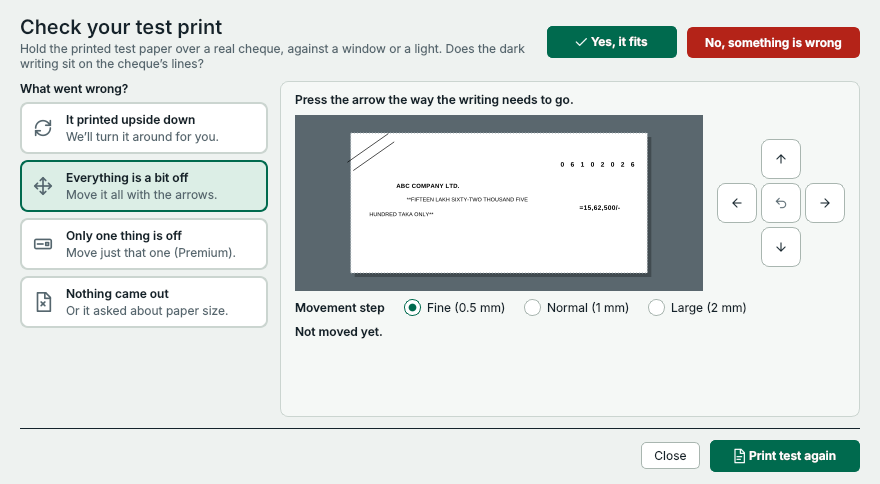
- Press No, something is wrong after a test that doesn't fit.
- It printed upside down: the app turns the page around for you.
- Everything is a bit off: move all the writing together.
- Only one thing is off: move just that item (Premium).
- Nothing came out: help with paper size and A4 mode.
- Press the arrow the way the writing needs to go.
- How far each press moves it: ½, 1 or 2 mm.
- Print the test again until it fits. Tests never count as cheques.
Which fix do I need?
- It printed upside down
- Press Turn it around. The app turns the page by half a turn from now on. Print the test again.
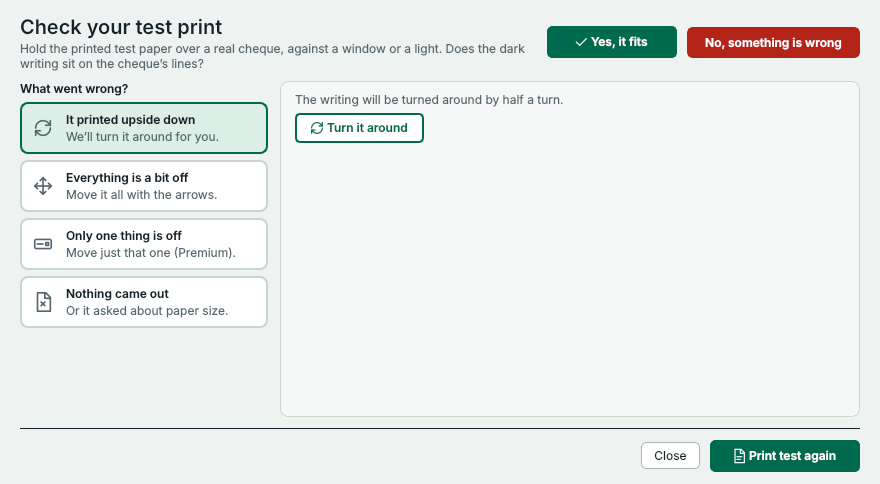
- Press Turn it around, then print the test again.
- Everything is a bit off
- Press the arrow the way the writing needs to go – for example the up arrow if everything sits too low. Choose Fine (½ mm), Normal (1 mm) or Large (2 mm) steps. The move is saved with the account.
- Only one thing is off Premium
- Choose the item – date, pay to, amount, in words or crossing – and move just that one.
- Nothing came out
- Your printer may not take small paper. Press Use A4 paper and print the guide and follow the A4 mode below.
Printers that can't take small paper: A4 mode
- In Settings › Printer, choose Taped on A4 paper.
- Press Print the A4 guide. It prints the outline of the cheque on an A4 sheet.
- Tape a cheque leaf inside the outline with a little removable tape, and feed the A4 sheet like any page.
The test on plain paper works the same way in A4 mode.
Exact positions in millimetres Premium
For full control, turn on Show advanced settings in Settings. The Calibration page moves every field in steps of 0.1 mm and prints a measuring sheet – see Settings and calibration.
Always print at 100 %. The app sends the page at its exact size. If you print a PDF yourself, choose Actual size – never Fit or Shrink.
Something not clear? Questions and answers · Write to us. The pictures use made-up sample data.