What the cheque printing software does
A Windows program for writing and keeping track of cheques. It prints the date, payee and amount onto the blank leaves your bank gave you, and keeps a record of every cheque – on your PC, never on our server. It never prints a bank's logo, account number, MICR line or any other part of the leaf.
Items marked Premium need a Premium plan; everything else is on the Free plan too. Compare plans · User manual with pictures.
Writing a cheque
Slide the picture sideways to see all of it.
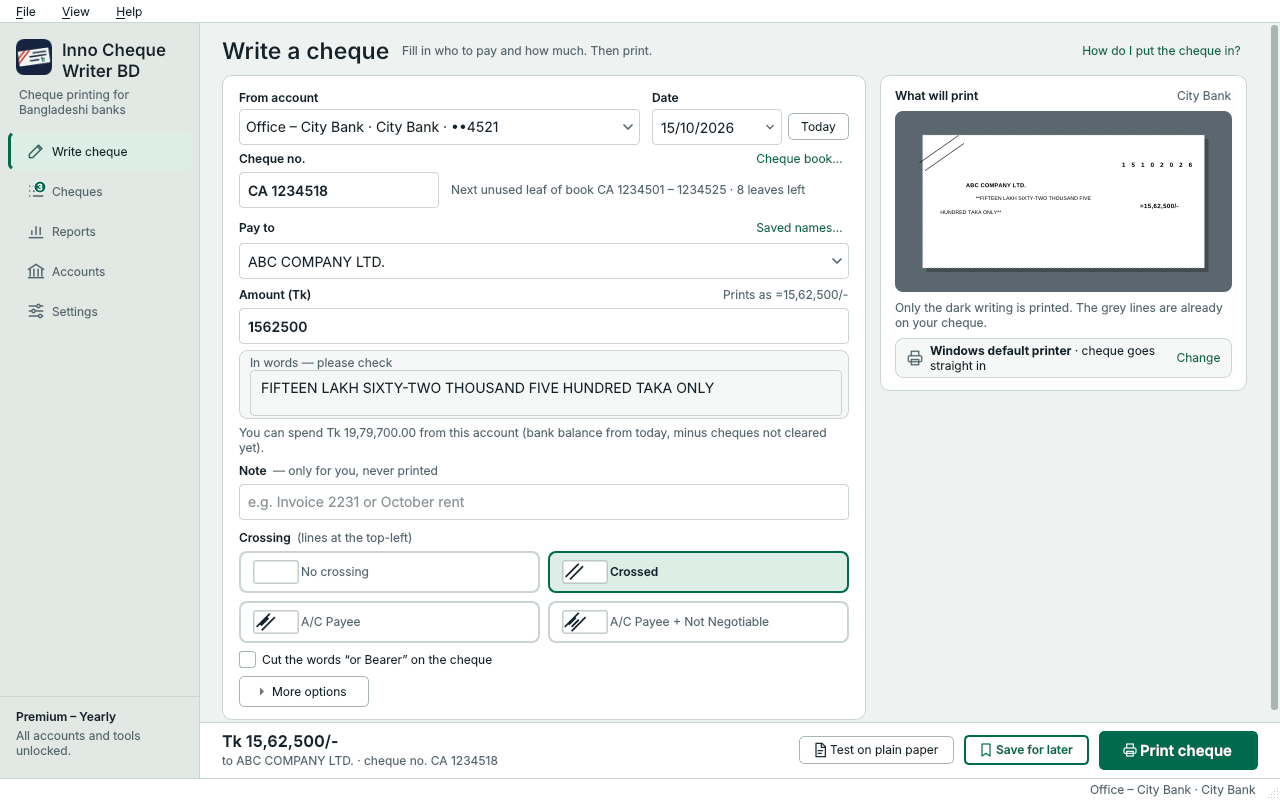
- Choose the account the cheque is from. Its bank, layout and printer come with it.
- Date in the bank's boxes (DD MM YYYY), with a Today button. Cheques dated later are marked as such.
- Pay to: type a name or pick a saved one. A long name is shrunk to stay on the line.
- Amount as you type it –
1562500,15,62,500or1562500.50– with “Prints as =15,62,500/-” shown as you type. - Amount in words written for you in lakh and crore or in millions, with paisa and “Only”. You can still edit the words.
- Crossings as picture buttons: no crossing, crossed, A/C Payee, or A/C Payee with Not Negotiable, and the words “or Bearer” struck out when you want.
- An optional cheque number and a private note (“Invoice 2231”, “October rent”) – kept with the cheque, never printed.
- Save for later: write the cheque now and print it when the leaf is at hand. Nothing counts until it prints.
- Choose which items to print – leave the date blank, for example, to write it by hand.
Getting it in the right place
- A quick setup on first start: your bank, a name for the account and its last 4 digits, your printer and how the leaf goes in, and a test on plain paper. Every step can be skipped and done later.
- The Universal preset fits most Bangladeshi leaves; bank presets are downloaded and kept up to date for you – see supported banks.
- Test on plain paper, hold it over a real cheque, and if it is off say what happened: it printed upside down, or everything is a bit off – then move everything in steps of ½, 1 or 2 mm.
- Only one thing off? Move that one item alone. Premium
- Calibration in Advanced mode: move every field in steps of 0.1 mm with a printed measuring sheet, keep your own layouts and a profile for each printer. Premium
- The leaf goes straight into the printer, or is taped onto an A4 sheet for printers without a cheque feed.
Your cheques
Slide the picture sideways to see all of it.
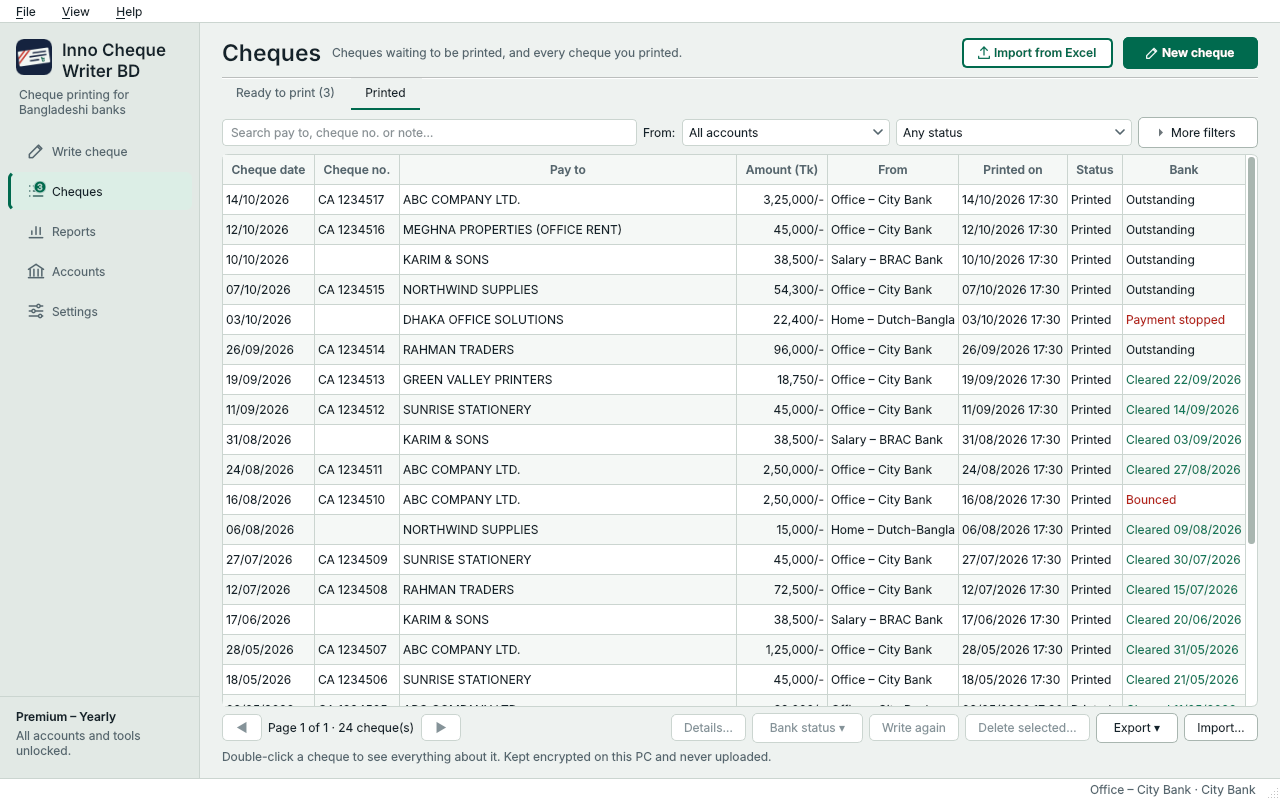
- The Cheques page lists what is ready to print and what was printed, with search, filters and totals.
- Open any cheque to see its details: when it was written, printed or changed, its note and cheque number.
- Mark as spoiled when a leaf is ruined, Print again on the next leaf, or Write again to reuse a cheque.
- Bank status: a printed cheque is outstanding until you mark it cleared, bounced, payment stopped or cancelled. Out-of-date and dated-later cheques are worked out for you, and each account shows its outstanding total.
- Saved payees, so the same names are typed once.
For offices Premium
Slide the picture sideways to see all of it.
- Every bank account – office, home, every bank – each with its own layout and printer.
- Cheque books: the next leaf number filled in, a warning when a book runs low, and a register of every leaf – used, spoiled or skipped.
- Import from Excel: rows of an
.xlsxor.csvfile become cheques waiting in Ready to print. Every row is checked before anything is imported, and a template file shows the columns. Importing never prints. - Print many at once: the app goes through the cheques one leaf at a time, tells you which leaf to put in, and lets you mark any that came out wrong.
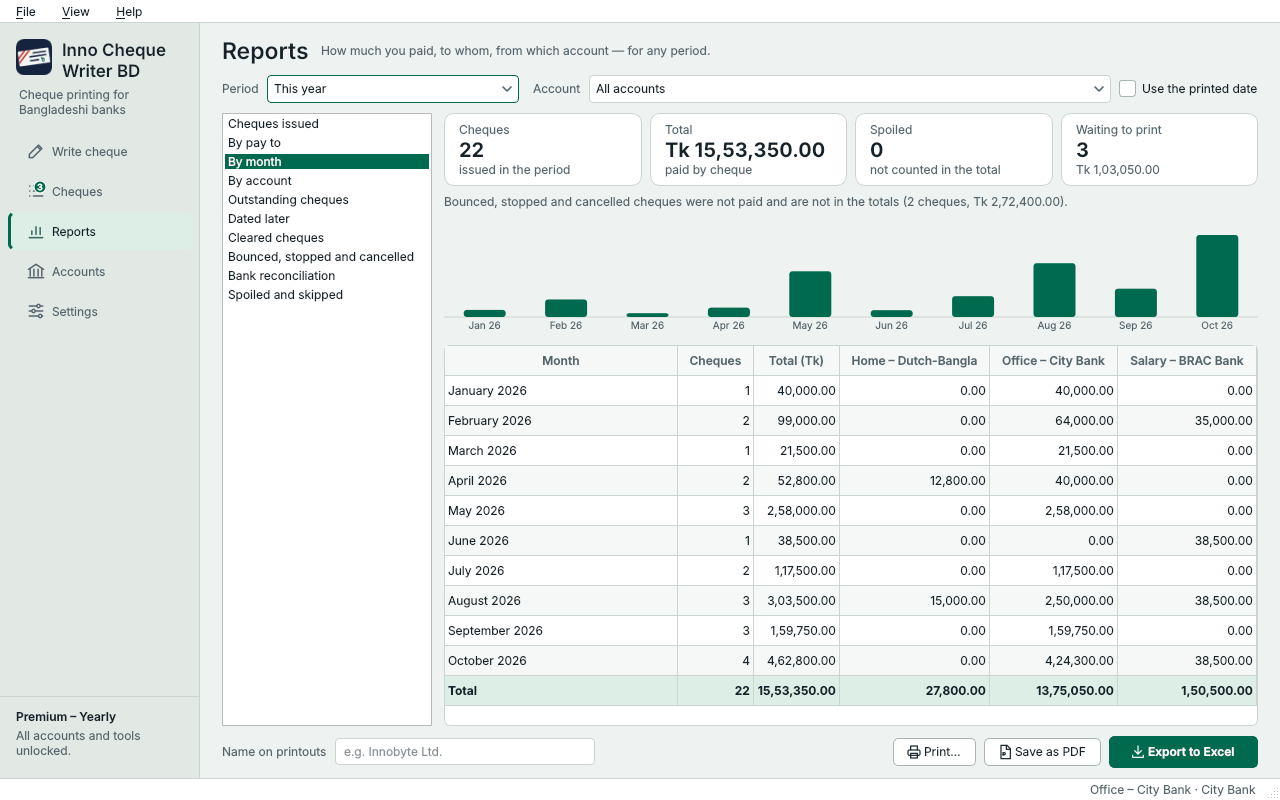
- Reports: cheques issued, by payee, by month, by account, dated later, spoiled and skipped, outstanding, cleared, bounced and stopped, and bank reconciliation – for any period, including the July–June fiscal year. Print them, save them as PDF or export them to Excel.
- Bank balance: type the balance your bank shows. The app subtracts the cheques not cleared yet, shows what you can really spend, and warns you before you print more than that. Tick off cleared cheques to reconcile.
Keeping your data safe
- Cheques, payees, accounts and balances are encrypted on your PC with a key protected by your Windows account. Nothing of it is uploaded.
- A safety copy is made every day (the last 7 are kept). If the data on your PC is ever damaged, the app offers to go back to the latest copy.
- Back up everything to a file protected with your password, and restore it on another PC. Premium
- Export your cheques to Excel or CSV. Premium
Working offline
When the internet drops, printing continues: Premium for up to 14 days (Lifetime 30), the Free plan for the cheques already set aside for that PC. Prints made offline are reported automatically when you are back online.
Requirements
- Windows 10 or 11, 64-bit. Works on small laptop screens (from 1024 × 600).
- A printer that can take a single cheque leaf (manual feed), or an A4 sheet with the leaf taped on.
- An internet connection to sign in, and now and then to stay signed in.