
Chapter 12 of 12 · Free, some parts Premium
Settings and calibration
Most people only need the Settings page. Calibration and printer settings are for fine work and appear in Advanced mode.
Settings
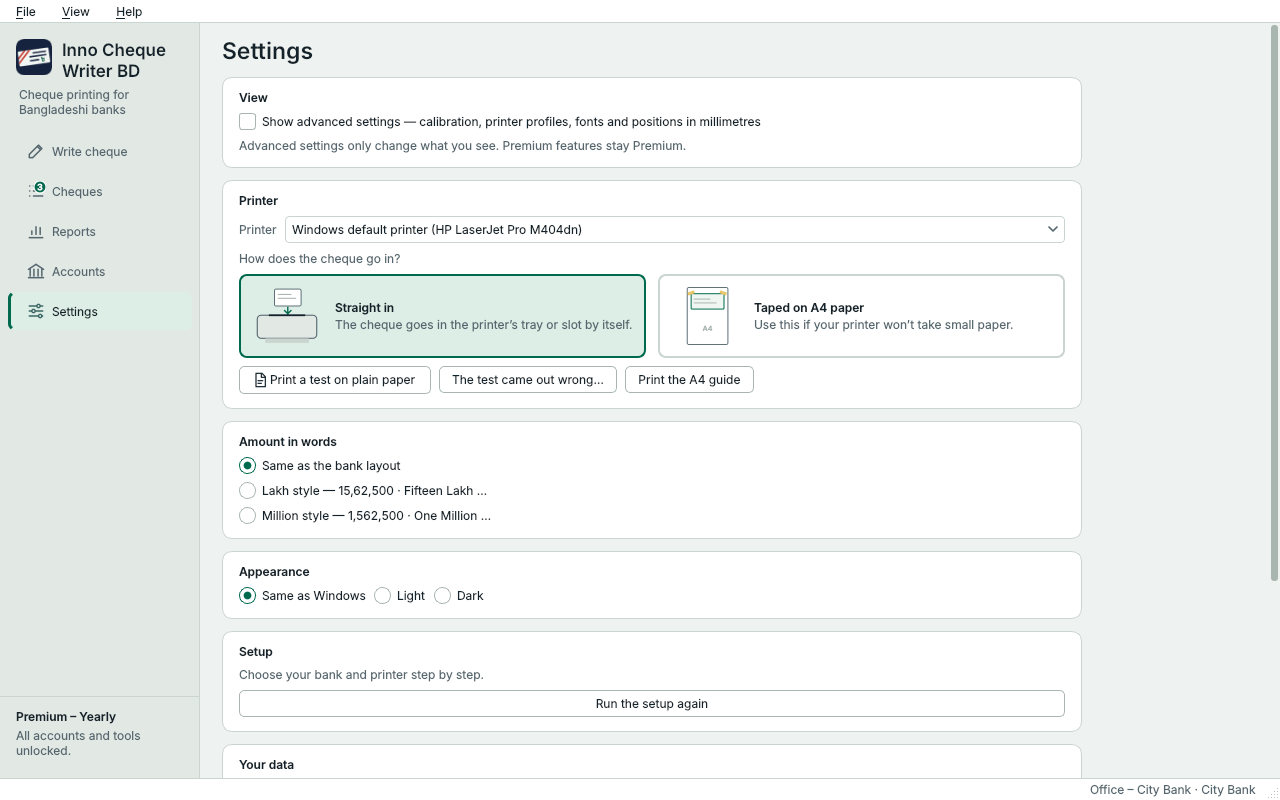
Slide the picture sideways to see all of it.
- Show the Calibration and Printer settings pages.
- The printer for cheques.
- How the cheque goes in: straight in, or taped on A4 paper.
- Amount in words: the bank's usual style, lakh and crore, or million.
- Appearance: light, dark, or the same as Windows.
- Setup: run the quick setup again.
- Your data: backups, safety copies, and whether to keep a record of printed cheques on this PC.
Calibration Premium
Turn on Show advanced settings, then open Calibration. It shows the cheque with every field you can move, and the position of each in millimetres.
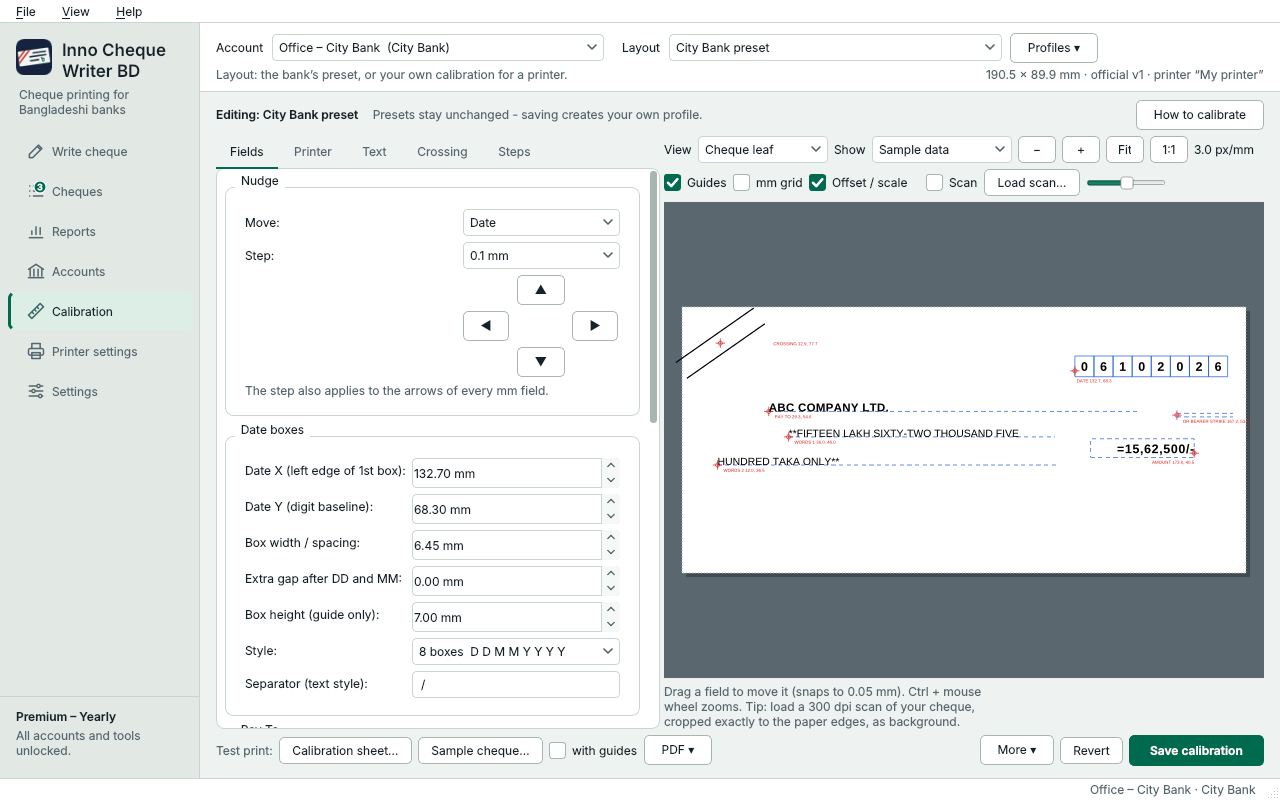
Slide the picture sideways to see all of it.
- Fields, printer, text and crossing settings, and step-by-step help.
- Drag a field to move it, or type its position in millimetres.
- Print a measuring sheet on plain paper.
- Print a sample cheque on plain paper.
- Save your calibration.
- Print a Calibration sheet on plain paper and hold it over a cheque. Its millimetre grid shows how far each field must move.
- Choose the field in Nudge and move it with the arrows, in steps as small as 0.1 mm, drag it in the preview, or type its position.
- Print a Sample cheque on plain paper to check, then press Save calibration. Your changes are saved as your own profile; the bank's preset stays as it was.
Positive X moves right and positive Y moves up. File › Export calibration… saves your calibration to a file, for another PC.
Printer settings
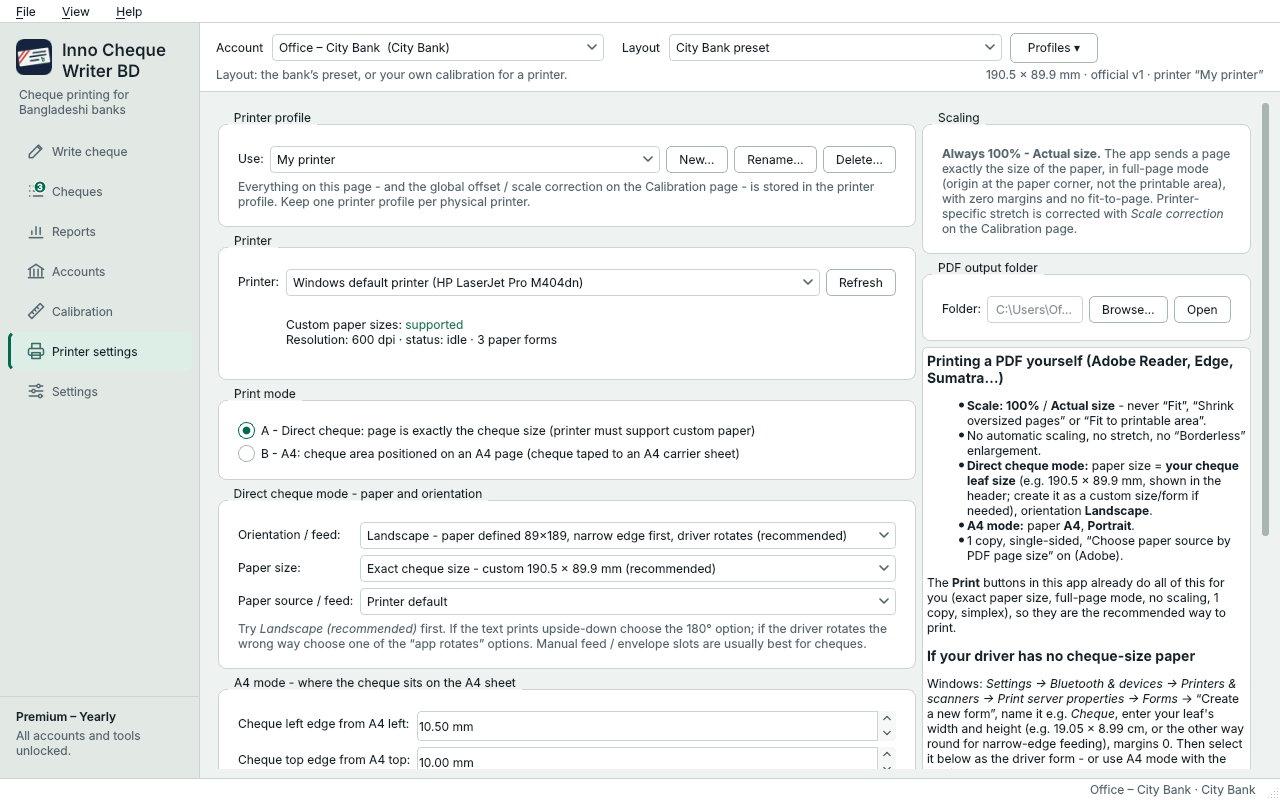
Slide the picture sideways to see all of it.
- The printer and what Windows reports about it.
- A – Direct cheque: the page is exactly the cheque size. B – A4: the cheque taped on an A4 sheet at a set position.
Mode A prints a page exactly the size of the cheque – use it when your printer takes custom paper sizes. Mode B prints on A4 with the cheque taped at a set place. The app always prints at 100 % (actual size), with no fit-to-page or shrinking.
Something not clear? Questions and answers · Write to us. The pictures use made-up sample data.