
Chapter 4 of 12 · Free and Premium
Your cheques
The Cheques page keeps every cheque: the ones waiting to be printed and every one you printed. Everything is stored encrypted on your PC and never uploaded.
Ready to print
Slide the picture sideways to see all of it.
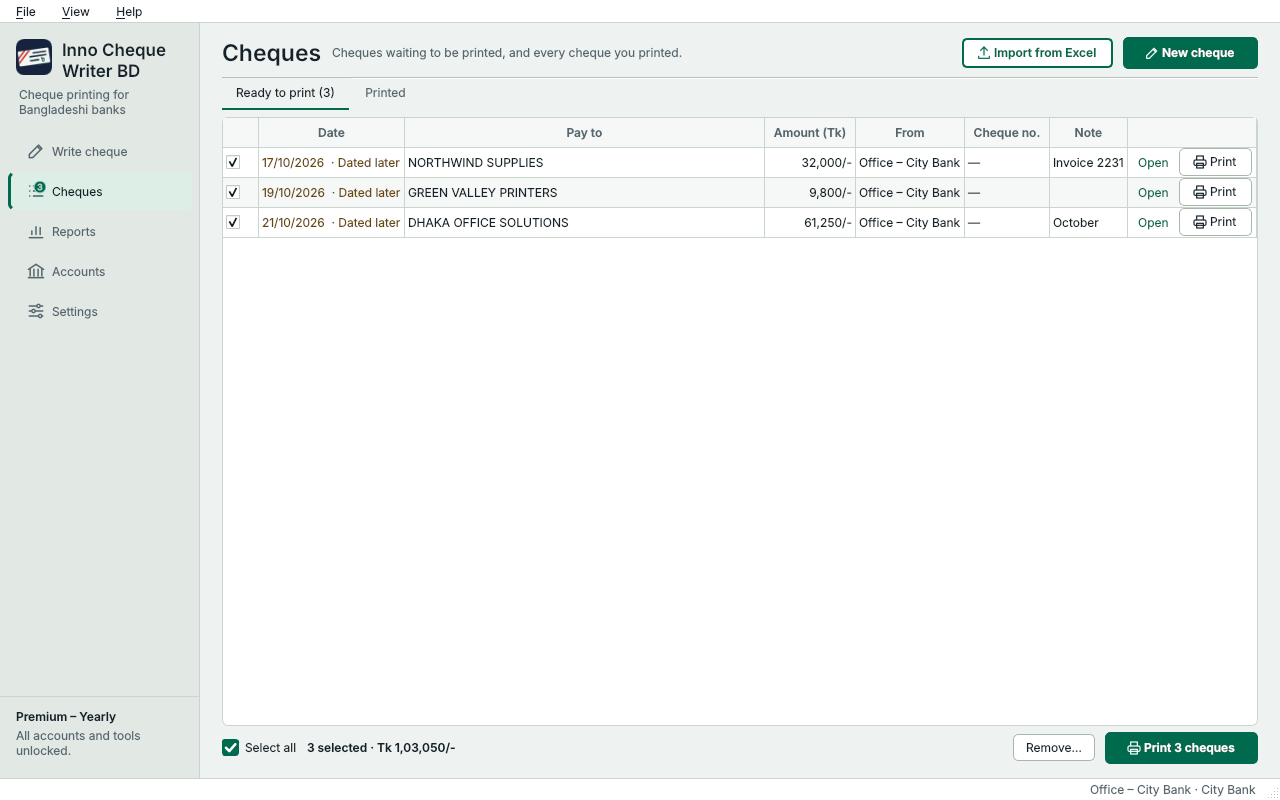
- Cheques you saved for later or imported wait in Ready to print.
- Printed has every cheque you printed.
- Double-click a cheque to open it, or press Print on its row.
- Tick cheques, or Select all…
- …and print them one leaf after another (Premium).
- Add many cheques from an Excel file (Premium).
Cheques you saved with Save for later or imported from Excel wait here. A cheque dated after today is marked Dated later: the bank pays it on or after that date. On the Free plan, print them one at a time with Print; Premium prints the ticked ones one leaf after another (see Excel import and printing many).
Printed
Slide the picture sideways to see all of it.
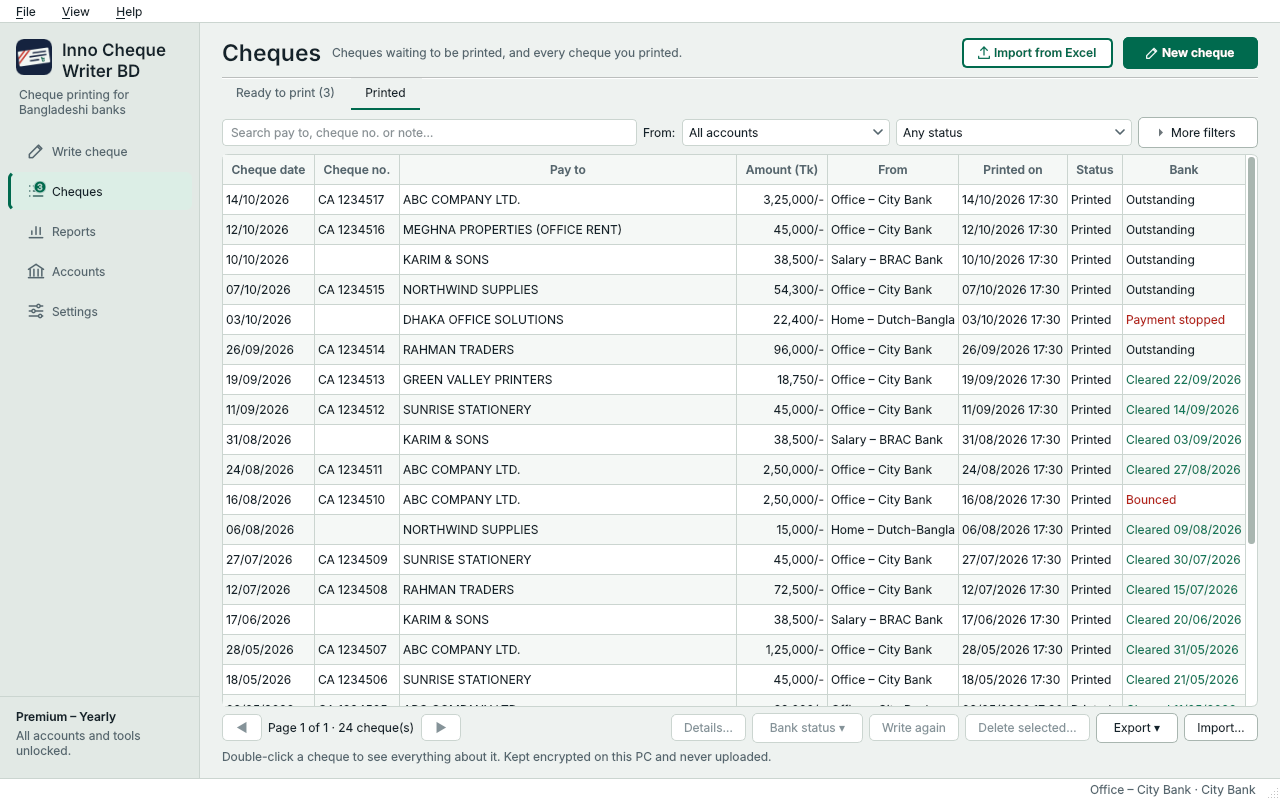
- Find a cheque by payee, cheque number or note. Filter by account and status.
- The Bank column shows Outstanding, Cleared, Bounced or Payment stopped.
- Select cheques and set their bank status.
- Save the list to Excel.
The Bank column shows what the bank did with each cheque. How to keep it up to date is in Cleared, bounced and stopped.
A cheque's details
Double-click any cheque to see everything about it: what was printed, from which account, its cheque number, its history, and your note.
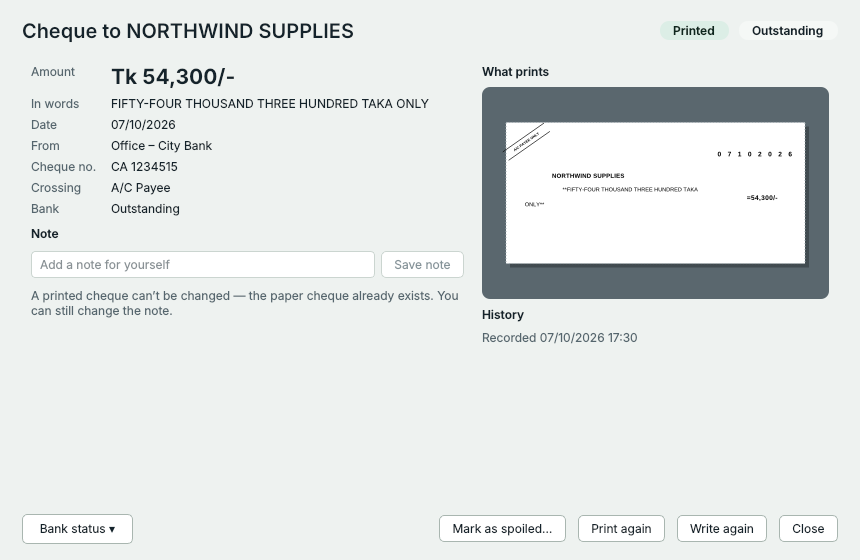
- A note only for you; you can change it any time.
- Mark it cleared, bounced, stopped or cancelled.
- The leaf came out wrong or got torn.
- Print the same cheque on the next leaf.
- A new cheque with the same payee and amount.
A spoiled leaf
- Open the cheque and press Mark as spoiled…. Give a reason if you like, for example Paper jam.
- Press Print again to print the same cheque on the next leaf.
Both stay in your records, linked to each other. A printed cheque itself can't be changed – the paper cheque already exists – but you can always change its note.
Something not clear? Questions and answers · Write to us. The pictures use made-up sample data.