
Chapter 10 of 12 · Premium
Bank balance
Your bank shows money that is already promised in cheques it hasn't paid yet. Type the balance once, and the app shows what you can really spend.
Type the balance
In Accounts, press Bank balance… on the account (or choose it from Bank status ▾).
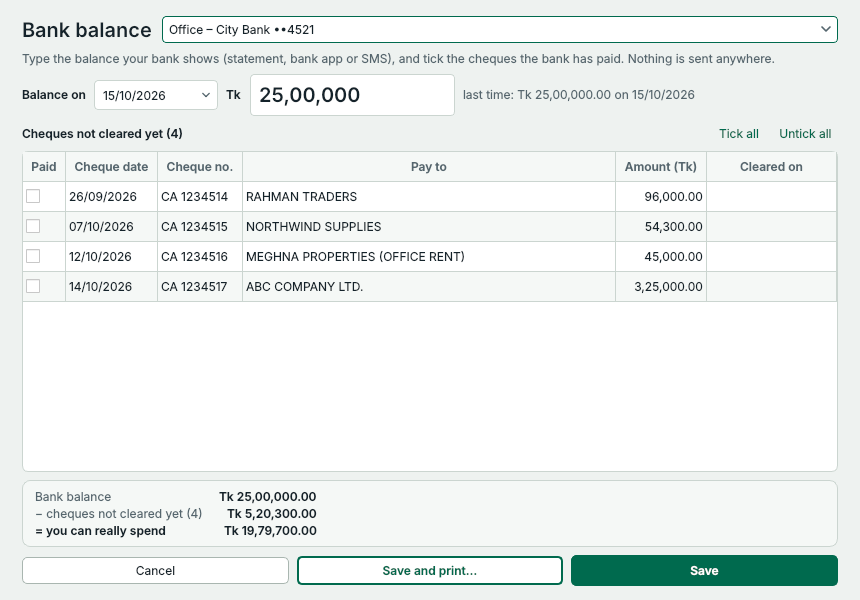
- The date of the balance.
- The balance your bank shows: statement, bank app or SMS.
- Tick the cheques the bank has already paid.
- What you can really spend after the cheques not cleared yet.
- Save. Write cheque then warns you before you print more than that.
Then, when you write a cheque
Write cheque shows what is left under the amount in words, and warns you before you print more than you can spend. The warning never stops you printing.
The app doesn't know about money coming in. Update the balance after deposits, or whenever you check your statement. Nothing you type here is sent anywhere.
Something not clear? Questions and answers · Write to us. The pictures use made-up sample data.