
Chapter 9 of 12 · Premium
Reports
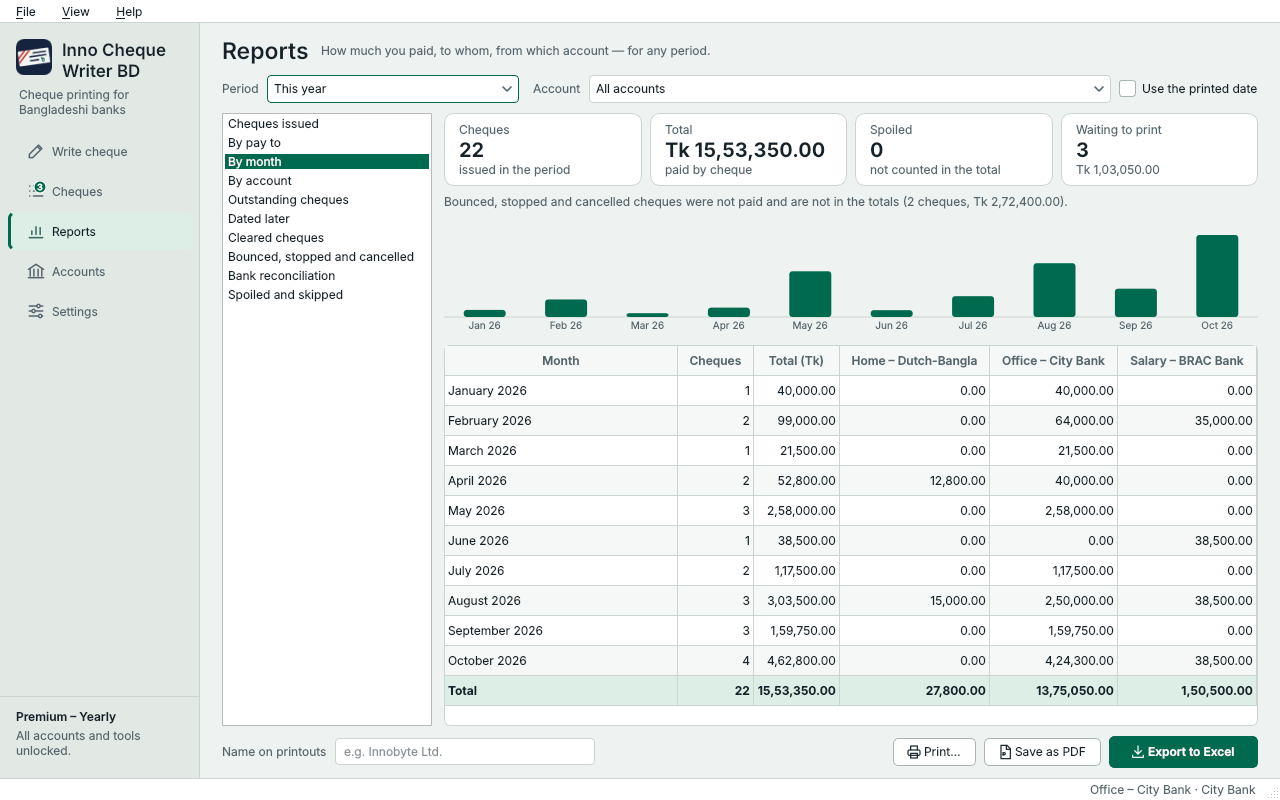
See how much you paid, to whom and from which account, for any month or fiscal year – then print the report, save it as PDF or open it in Excel.
Slide the picture sideways to see all of it.
- Choose a report.
- The period: this month, last month, this fiscal year (Jul–Jun) or your own dates.
- One account or all of them.
- Totals and a chart at the top, the details below.
- Print the report…
- …save it as PDF…
- …or open it in Excel.
The reports
- Cheques issued – every cheque printed or saved as PDF
- By pay to – how much each payee received
- By month – cheques and totals month by month
- By account – each account, its cheques and cheque book
- Outstanding cheques – not paid yet, oldest first
- Dated later – cheques the bank will pay on a later date
- Cleared cheques – paid in the period
- Bounced, stopped and cancelled – with the reasons
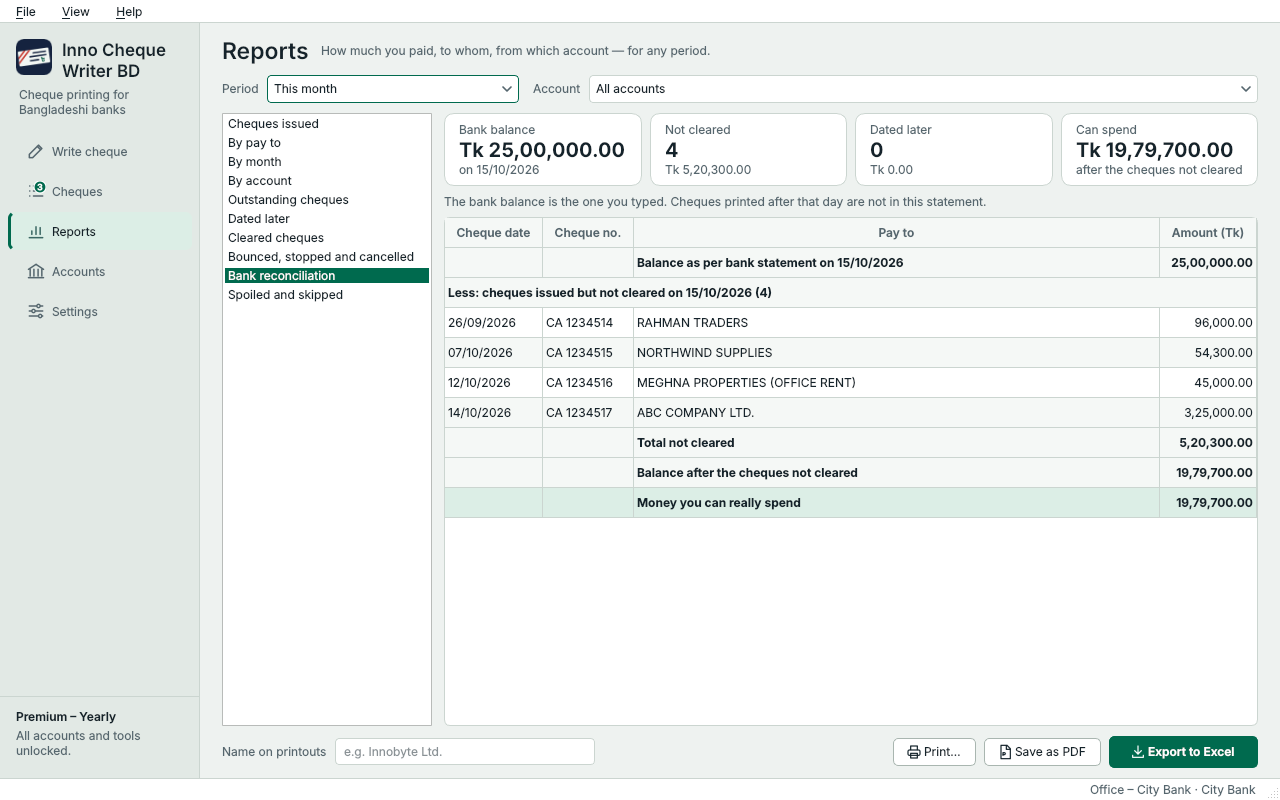
- Bank reconciliation – the bank balance minus the cheques not cleared yet
- Spoiled and skipped – leaves that were not used for a cheque
Periods are about the cheque date; tick Use the printed date to use the day it was printed instead. Type your organisation's name in Name on printouts to show it at the top of every page.
Bank reconciliation
Slide the picture sideways to see all of it.
- Bank reconciliation lists the cheques not cleared on the balance date.
- The last line is the money you can really spend.
It uses the bank balance you typed (see Bank balance).
Something not clear? Questions and answers · Write to us. The pictures use made-up sample data.