Chapter 6 of 12 · Premium
Bank accounts
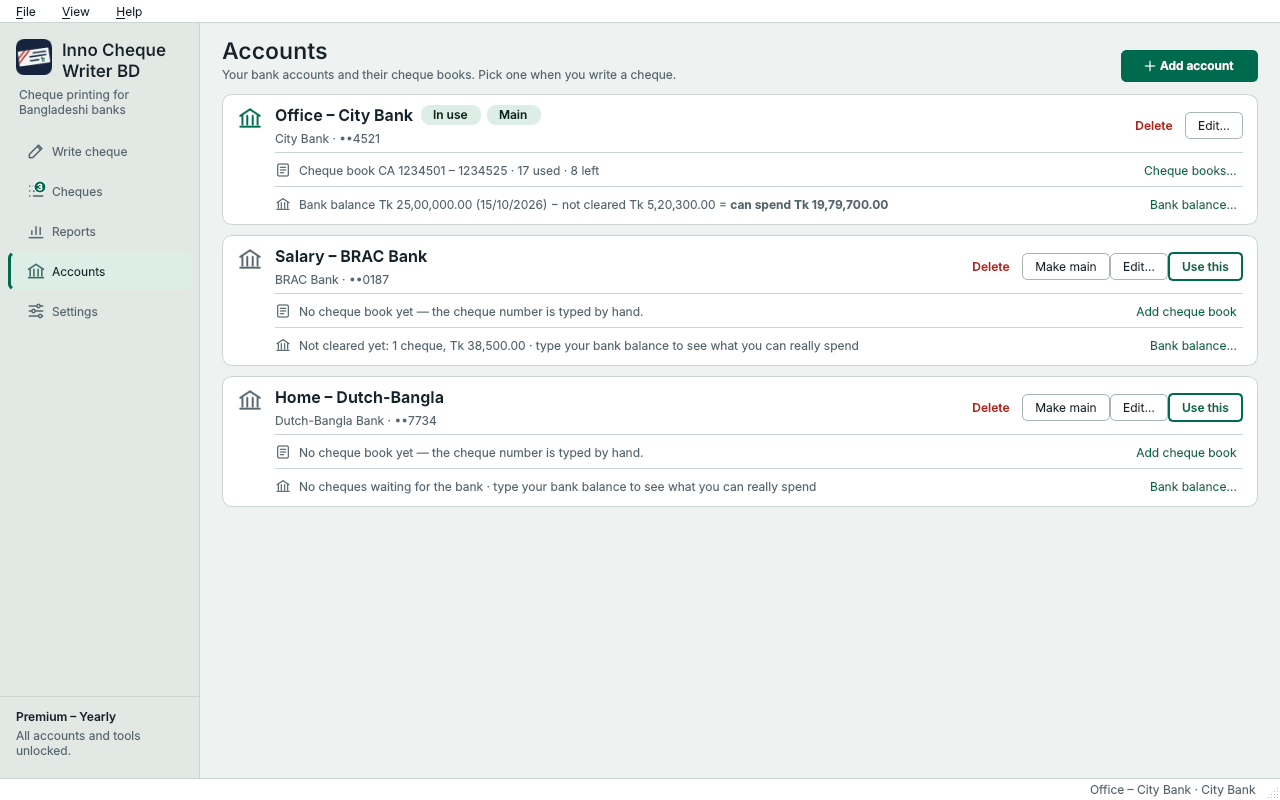
Keep office, home and every other bank account apart. Each account has its own bank layout, crossing, printer and cheque books.
Slide the picture sideways to see all of it.
- Add another bank account (Premium).
- Each account has its own bank, layout and printer. Main is the one you start with.
- Cheque books of this account.
- Bank balance: what you can really spend.
Add an account Premium
- Open Accounts and press Add account.
- Choose the bank, give the account a name, and if you like the last 4 digits of the account number.
- Choose the usual crossing and the printer, then save.
On Write cheque, pick the account in From account. Its layout and printer come with it.
The main account
The Free plan has one account: the main one. If Premium ends, you keep every account and cheque, but you print from the main account only. Press Make main on the account you want.
Moved the print for one account?
A fix you make after a test print is saved with the account. Edit… shows it, and Reset to standard position takes it back to the bank's preset.
Something not clear? Questions and answers · Write to us. The pictures use made-up sample data.